




















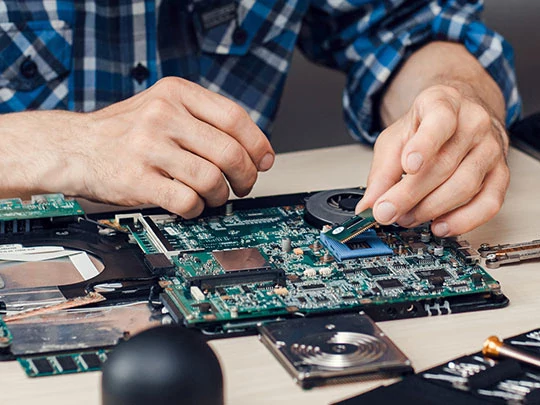



Computer Repair and Laptop Maintenance
A useful repair starts with identifying the fault. A slow computer does not necessarily need replacing, and a laptop that will not turn on may have a charger problem or an internal hardware fault. On Turn.am, explore computer repair specialists and service centres, compare their services and customer reviews, and contact a provider who handles your device and issue.
Choose a Service Based on the Symptoms
- Slow performance or freezing: ask for checks of software load, available storage, drive health and memory capacity. Reinstalling Windows will not resolve every cause of poor performance.
- Overheating or loud fan noise: the cooling system may need dust removal, fan inspection or thermal paste replacement.
- A laptop that will not charge: diagnosis should distinguish between charger, battery, charging port and internal power circuit faults.
- A broken screen or no display: explain whether there is visible damage and whether the computer otherwise appears to start. A blank display does not automatically mean the screen needs replacing.
- Missing or deleted files: look for a provider who handles data recovery. Avoid installing software or saving new files to the affected drive, as this can reduce recovery chances.
Windows Installation and Software Support
Before requesting a drive format or Windows reinstallation, agree on what the service includes. Will personal files be preserved? Are device drivers and application setup included? Operating system installation and licensing are separate matters, so confirm whether an existing licence can be used or a new one is required.
What to Send When Requesting a Repair
Provide the brand, exact model and a short description of the symptoms. Explain when the problem began and whether it followed a drop, liquid spill, update or hardware change. A photo of an error message can be useful. Do not include device passwords or private documents in your initial enquiry.
Compare Quotes Beyond the Headline Price
Ask whether diagnostics are charged separately, whether that fee counts towards the repair and what you owe if you decline the work. For replacement parts, check whether the proposed component is new, used or refurbished. Clarify warranty terms for both parts and labour, and request approval before any additional work is carried out.
Repair, Upgrade or Replace?
The right choice depends on the computer's condition and what you need it to do. An SSD or RAM upgrade may improve everyday usability on a suitable machine, but compatibility and upgrade options need checking first. If several expensive components have failed, request a complete estimate and compare it with the cost of a suitable replacement computer.
Home Visits, Office Support and Workshop Repairs
Some software issues and maintenance tasks can be handled on-site, while complex hardware repairs may require workshop equipment. Confirm callout charges, collection arrangements and the expected turnaround time. Before handing over the device, record its visible condition and any accessories supplied. Back up important files beforehand whenever possible.